Skip to content
Jig
I

A browser that holds
the whole audit.

Fifteen directions of the audit go into your checklist on the first call. The client site opens inside the window, already signed in, so the account pages and the checkout are walked like any other. You file findings as you go, and the report is built from them. The directions a machine cannot judge stay open until you sign them.

$79/yr locked for good — first hundredOne email, when it ships. Nothing else.

For the half that is your judgement

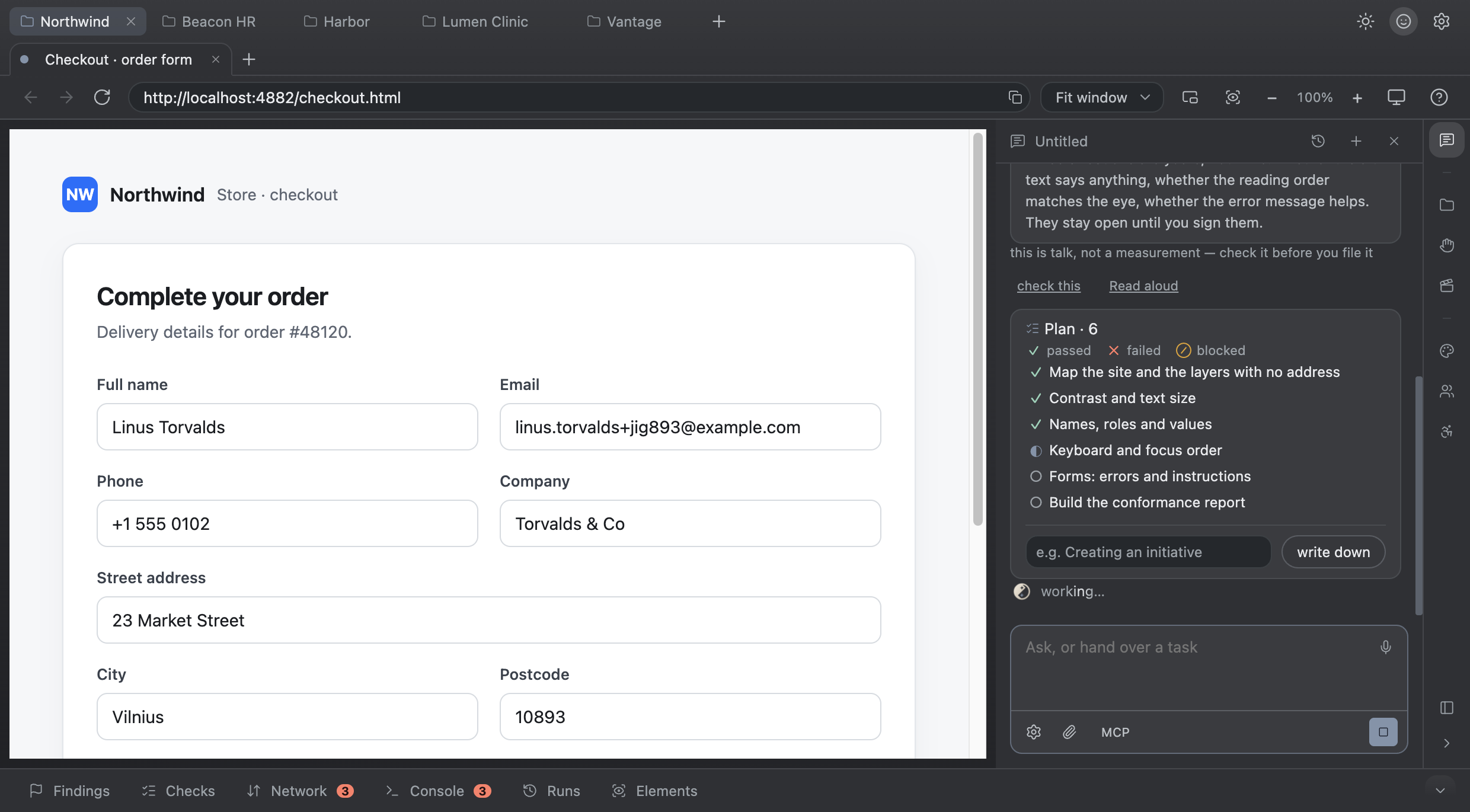
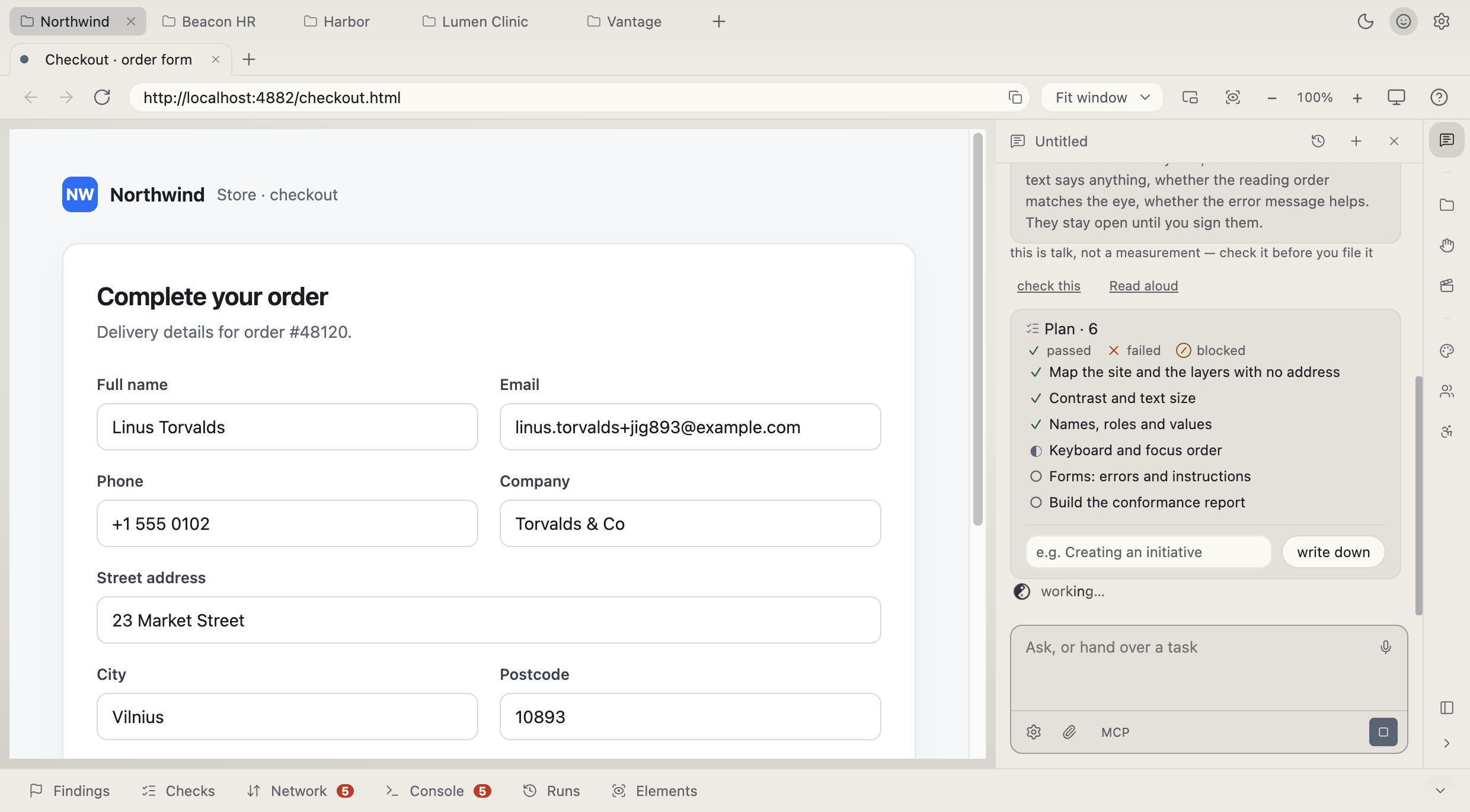
Whether the alt text says anything. Whether the reading order matches the eye. Whether the error message helps. Each is its own line in the checklist, and it stays open until you write down what you saw. A direction closes on a signed verdict, never on a green tick.

See the panels
Cursor · VS Code · Claude Code
jig.open("/checkout")
jig.login("admin")
jig.fill(form → 96)
jig.read("network")

For whoever ships the code

Connect Cursor, VS Code or Claude Code over MCP. Your agent writes the code; here it opens the page, signs in as a role and presses the buttons.

Connect your editor
Transcript

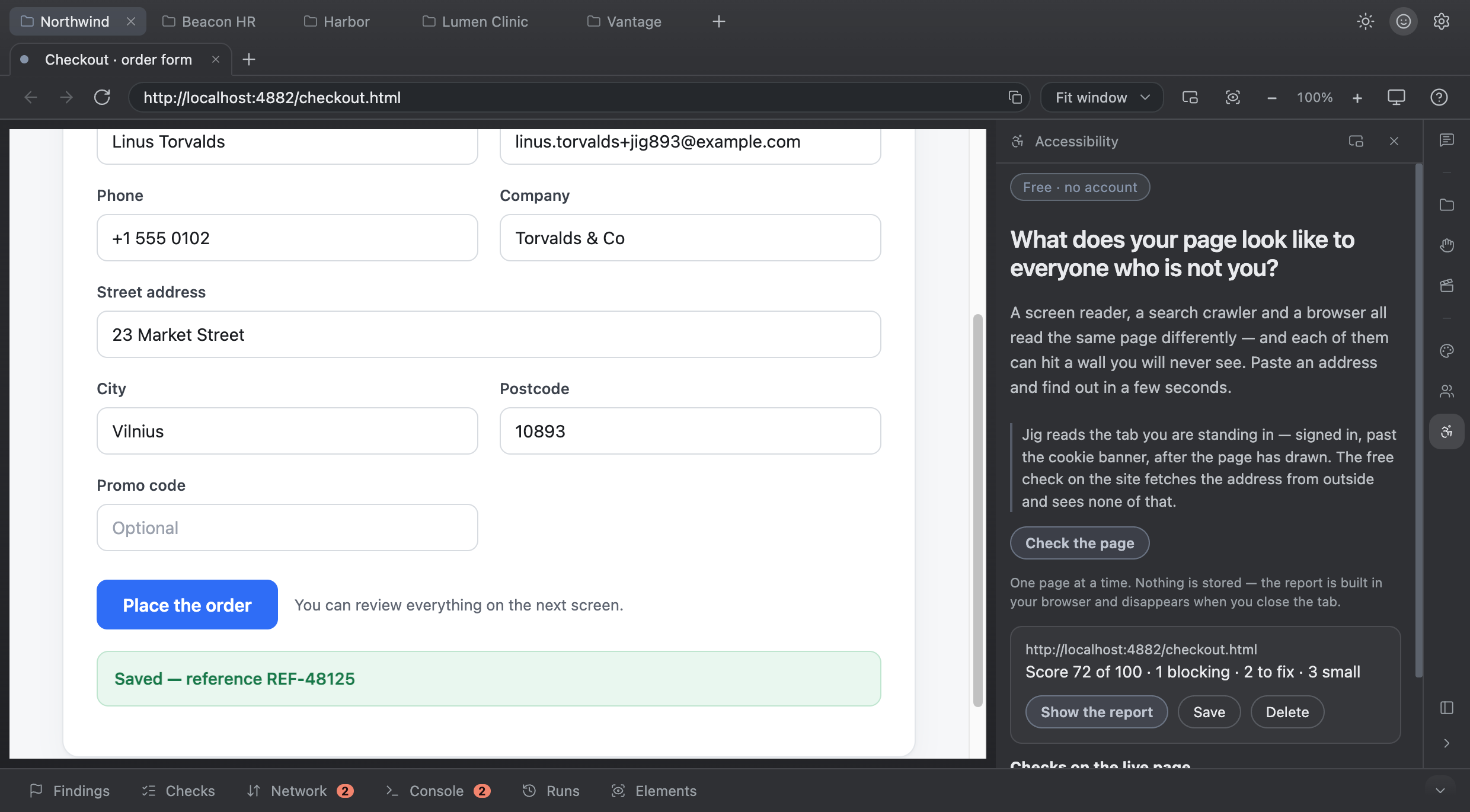
An accessibility audit is not a button. It is a plan, a walk, a register of findings, a signed report, and another pass after the fixes. Jig holds all of it. The first call puts fifteen directions into your checklist. The site opens inside the window, already signed in, so the account pages and the checkout are walked like any other. You file findings as you go, and the report is built from them: each one carries the criterion it breaks and the node it sits on. Directions a machine cannot judge stay open until you sign them. Jig, a workbench for the whole audit.

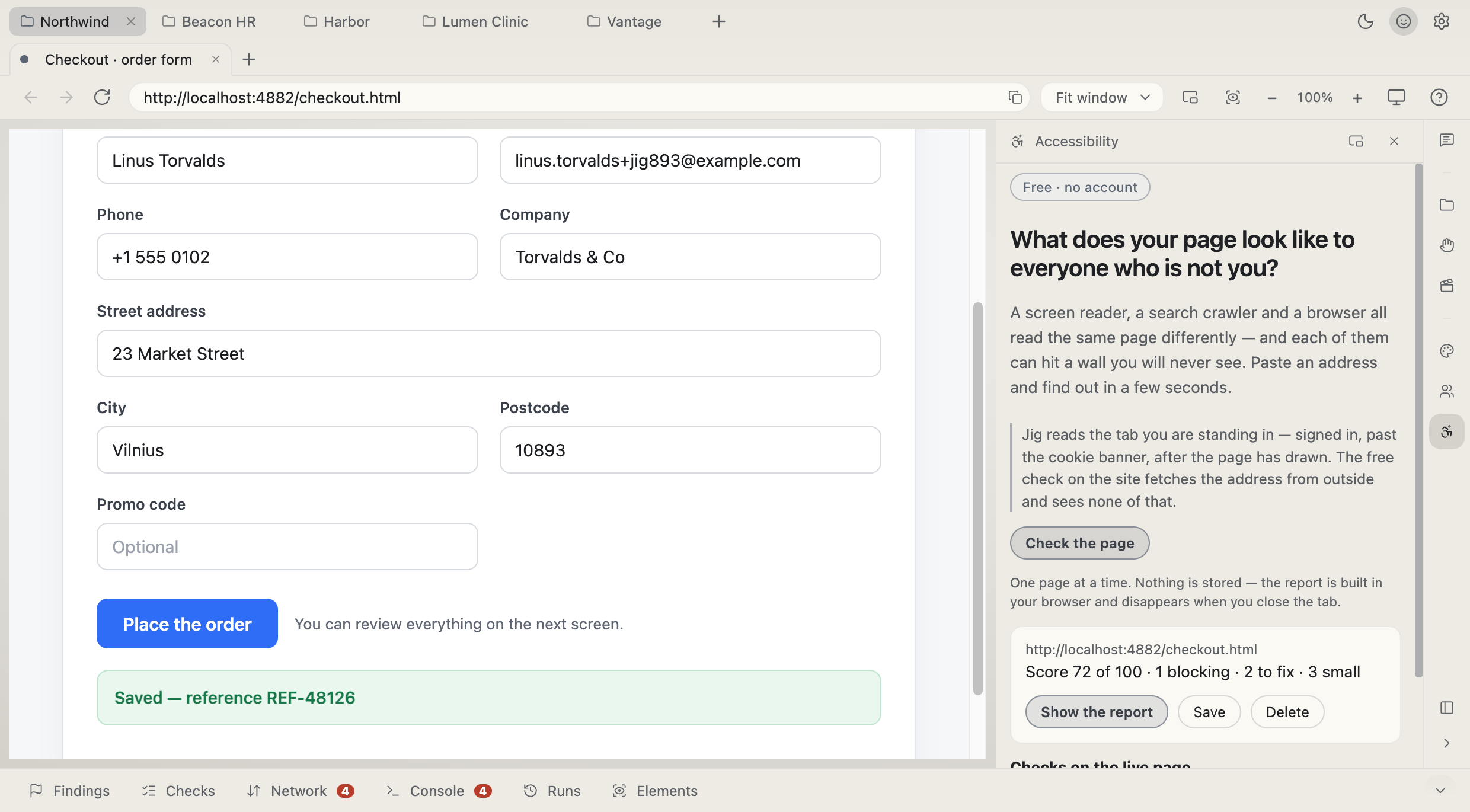
The Jig window: a hundred-field form under test on the left, the chat with a running checklist on the right, the measurement strip belowThe Jig window: a hundred-field form under test on the left, the chat with a running checklist on the right, the measurement strip below
15directions of one audit
55WCAG criteria in the report
4files a pass hands over
0directions a machine can close

For QA and for whoever ships the code · macOS, signed and notarised · Windows in progress · everything it measures runs on your machine

The panels

Everything an audit day runs on, in one window.

Pick a panel, the same way you would inside Jig. The first two are the ones you will live in.

Accessibility — Machine-detectable WCAG 2.2 violations with the element and the wording to quote — plus the Tab route, walked rather than assumed.Accessibility — Machine-detectable WCAG 2.2 violations with the element and the wording to quote — plus the Tab route, walked rather than assumed.

Machine-detectable WCAG 2.2 violations with the element and the wording to quote — plus the Tab route, walked rather than assumed.

Against how it is done now

Today the audit lives in five files and your memory.

Nothing here is impossible without Jig. That is the point. It is possible, and it costs a week: walk the site by hand, keep the register in a spreadsheet, retype it into a template, then do the whole pass again after the fixes.

The way it goes now

The way it goes in Jig

  • One press fills the form; it says what it left for you
  • Every tab is its own session — both accounts on screen
  • The request is there with its body: copy as curl, send again
  • Point at the address, press «Fails with 500»
  • The finding already has the steps, the environment and the response

And it is not an editor. It is the other half of one — now literally.

An IDE is built for the person who writes the code, and every attempt to bolt manual testing onto one ends the same way: a plugin that opens a preview and can tell you nothing about it. Jig starts from the other end — the application is the document, and everything around it is for reading that application rather than editing it. Keep your editor; connect it, and the agent in it gets hands here.

A colour each, and it belongs to the project, not the machine

Five applications open at once and you tell them apart before reading a word: green is staging, red is the production copy nobody may touch. The tint travels with the project — open it on another machine and it looks the same.

Cursor · VS Code · Claude Code

Your agent has never seen the thing it built.

It writes the endpoint, writes the form, and then describes to you what to click — because a coding agent has no browser with your logins in it. Connect your editor to Jig and it stops describing: it opens the page, signs in as one of the project’s roles, fills the form in one pass and reads what the server actually answered.

Two ticks and three lines

  1. In Jig: Settings → Your editor. Off in a fresh install.
  2. Paste the lines it shows into your editor’s MCP settings.
  3. That is it — no port to remember, nothing to keep running.
{ "mcpServers": { "jig": {
  "command": "npx", "args": ["-y", "jig-mcp"] } } }

There is no key in the snippet. Jig writes its address to a file only you can read, and the client picks it up there — so a restart on a different port needs nothing re-pasted.

What it can do from there

  • Open the page under test, and open it as the admin or the customer
  • Read the whole form without a click, then fill it in one pass
  • Read the network with real response bodies, and the console
  • Make the server answer 500, empty or dead — no branch to deploy

Which project it lands in is decided by the folder your editor is open in; several editors connect at once and none of them moves your window. It is refused for exactly the same reasons the chat here is refused — connecting an editor grants nothing that was not already granted.

Memory

Nobody takes this form apart twice.

The first pass over somebody else’s form costs work: a hand-rolled list of divs has to be pressed, watched, understood — where does the value actually land. Jig does that once and writes it down: a procedure per control, and a whole layer for the form — the order fields take values in, the knots, the places that fought back. From the second pass on it is not analysis any more, it is a read from disk.

How much runs from memory
46%
This machine
22%
Your team
9%
Shared
318
procedures
36
whole forms
+46
this week
3 171
model calls saved

The same three rings Jig shows in its settings, after a week on an internal admin panel.

  1. This machine

    Everything worked out here stays with you and runs with no network. The key is the place plus the markup, so the same application is recognised from any of your projects — and a stranger’s site inherits nothing.

  2. Your team

    Several machines under one key: what a colleague worked out on your internal admin arrives by itself. Encrypted before it leaves, with a key derived from your licence.

  3. Shared

    The first Jig in the world to meet an unknown widget pays for taking it apart — everyone after gets the procedure instantly and free, with no key at all. What travels is a hash and the procedure: no address, no page, no values.

The form was rebuilt — the memory moves with it

A developer adds a field or drops a wizard step: different shape, same address. Jig recognises the form by its place, carries what still applies onto the new structure, and says what changed.

  • Comment
  • Due date
  • Department · Amount · Currency

And twenty-seven libraries it knows with no memory at all

Ant Design, MUI, Vuetify, PrimeReact, Kendo, Mantine, web components — built into the engine, working from the first minute. Memory is for where your own begins: the internal panel built out of divs.

96% of fields filled with no memory and no model — measured across forty pages of forms

What you hand over

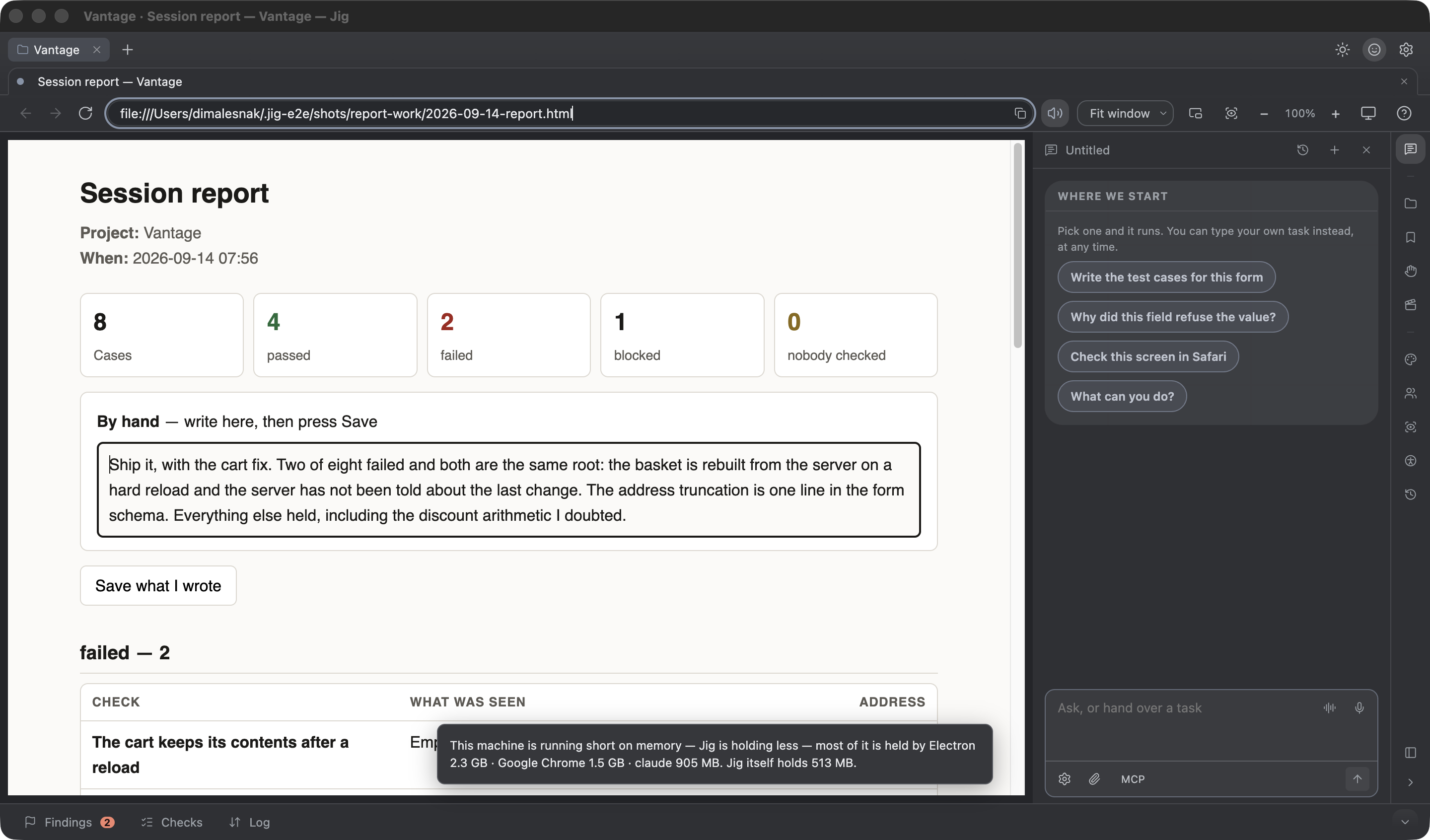
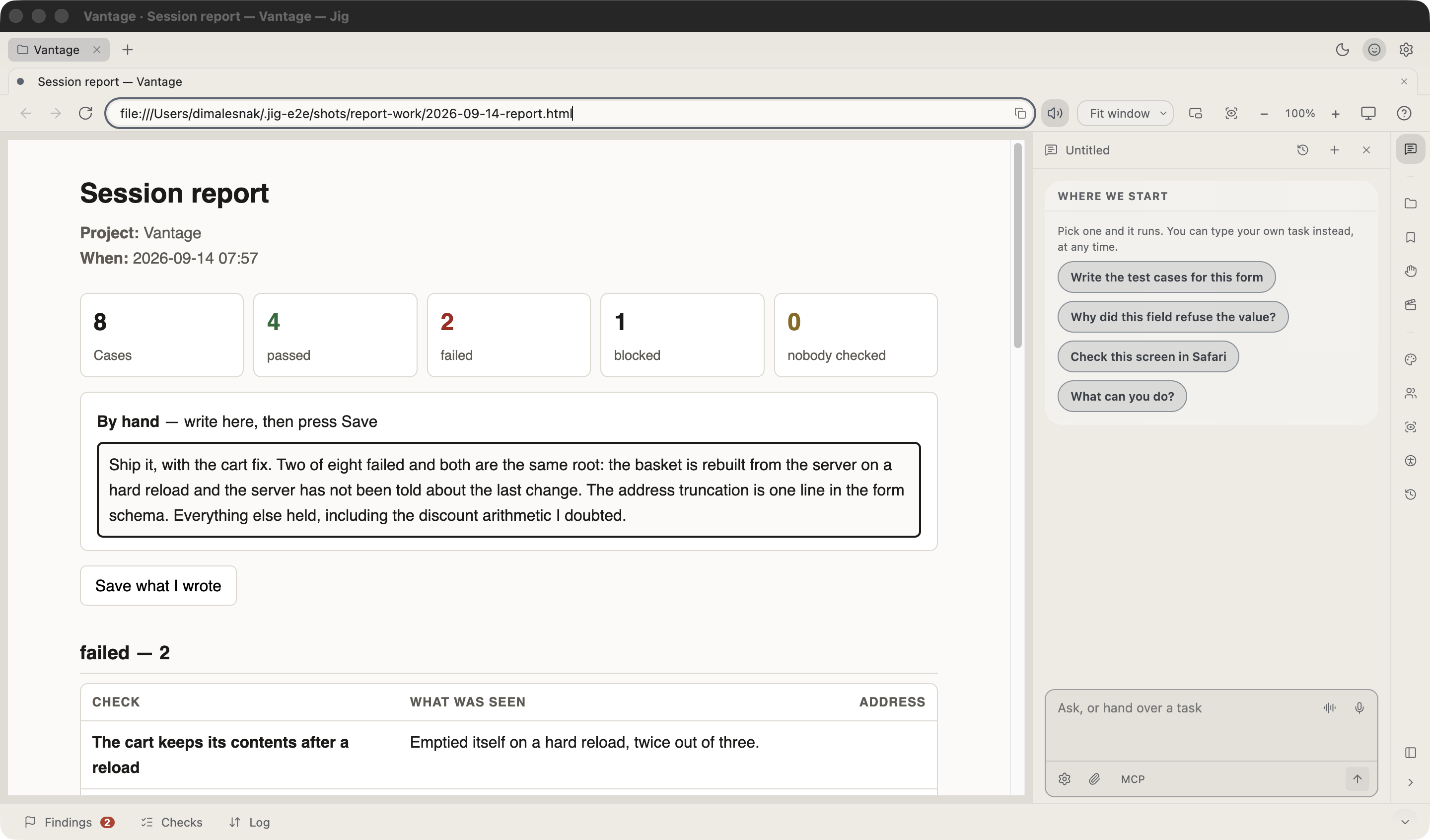
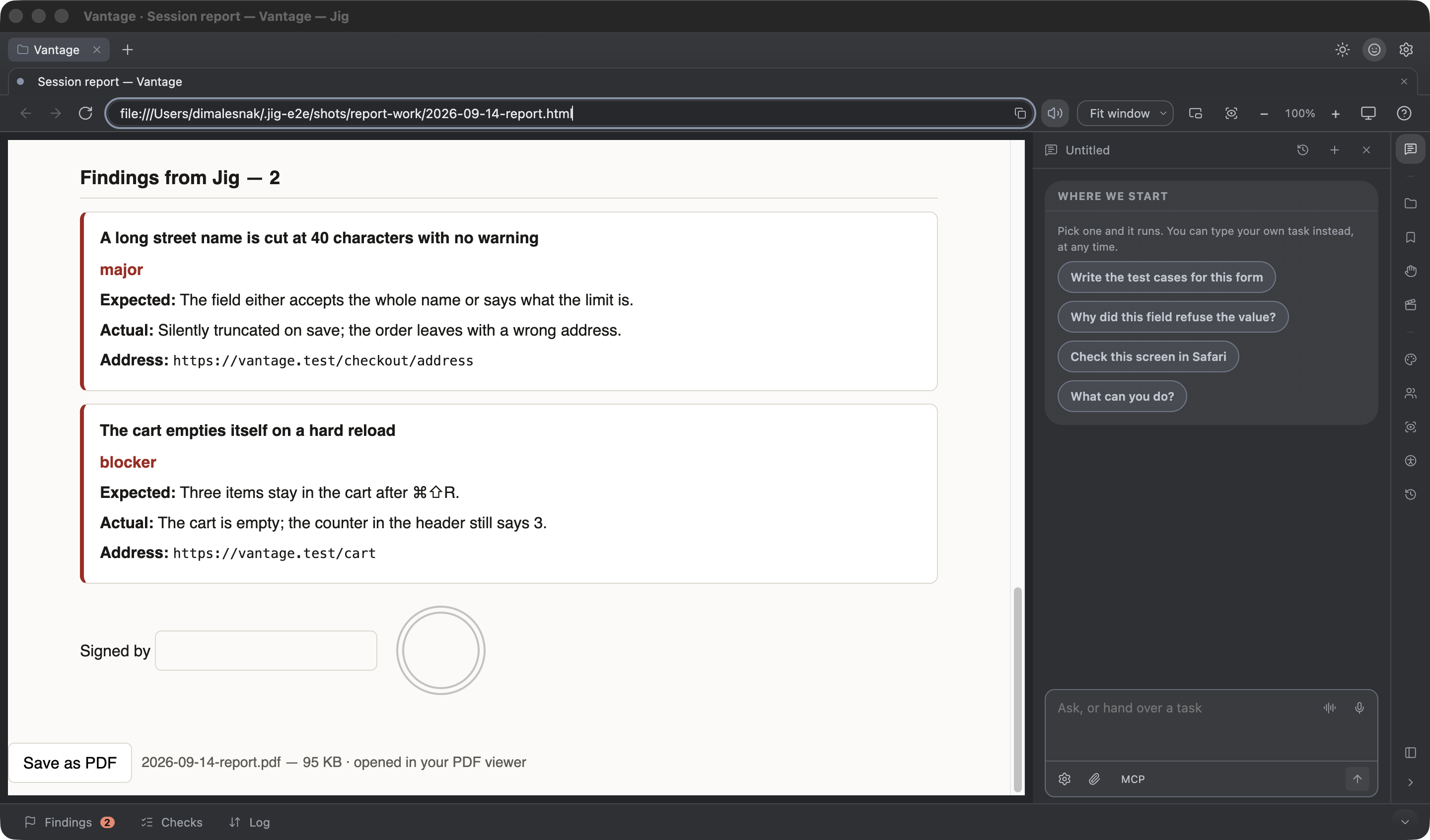
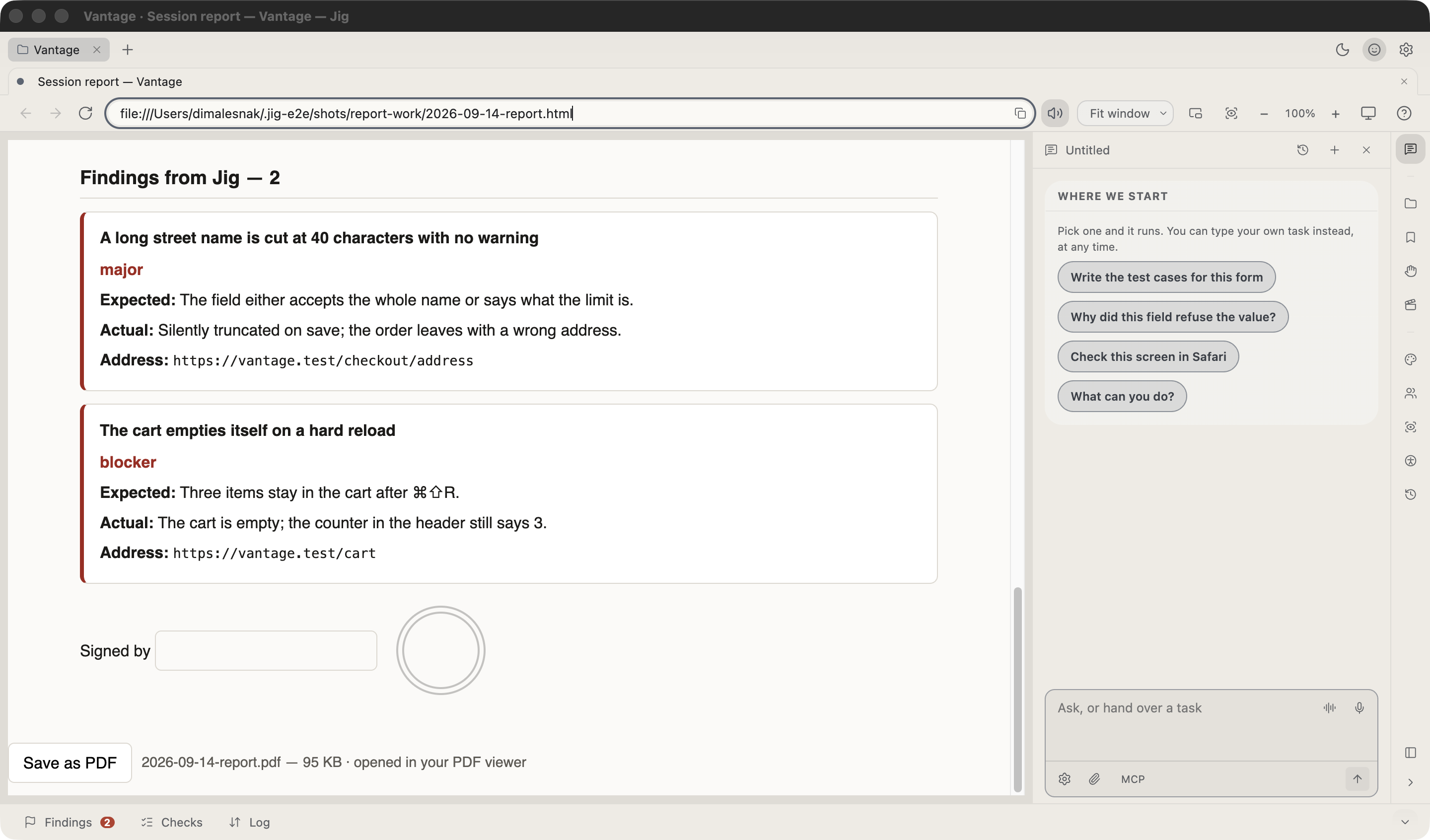
What you hand over is a conformance report.

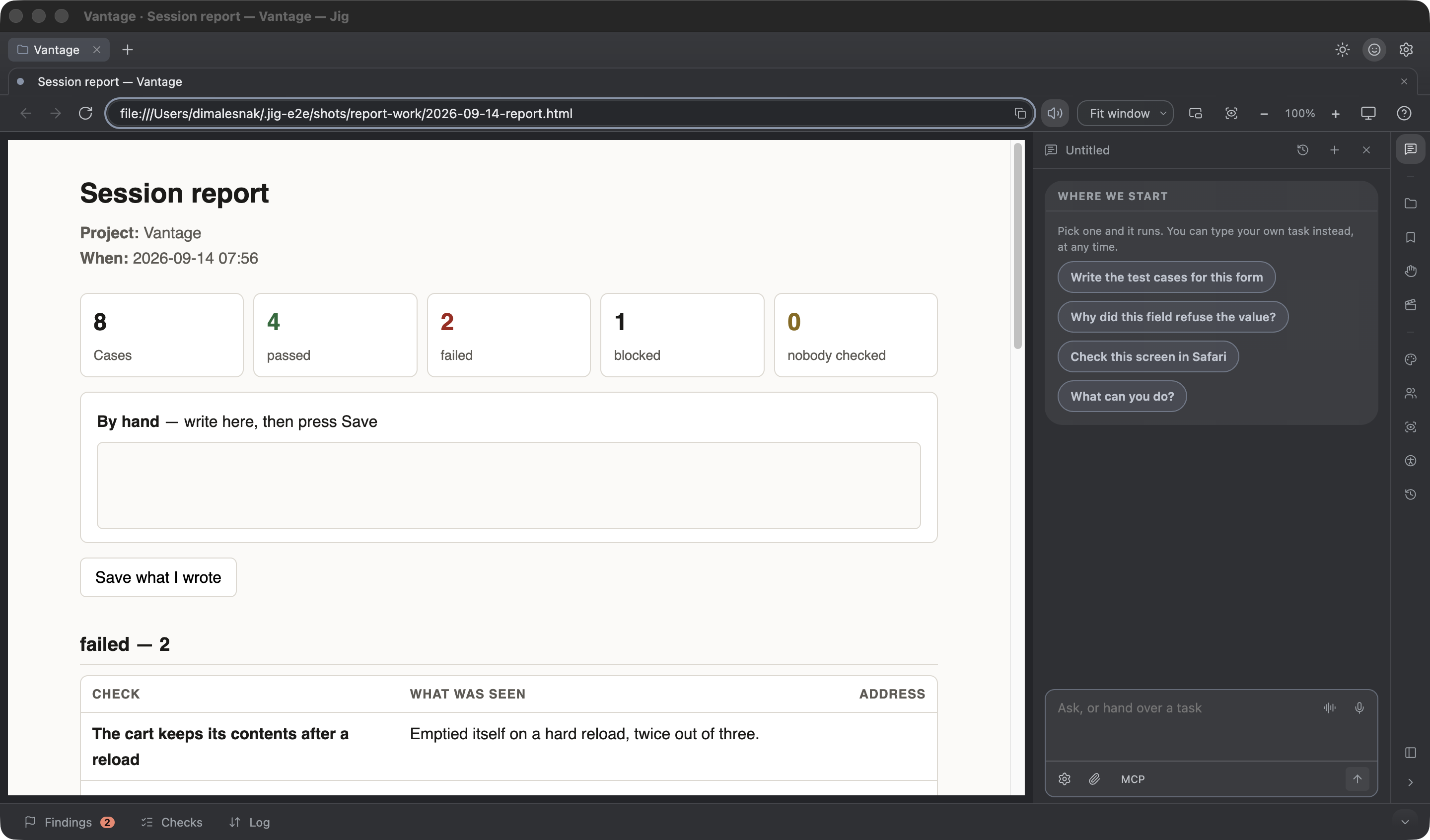
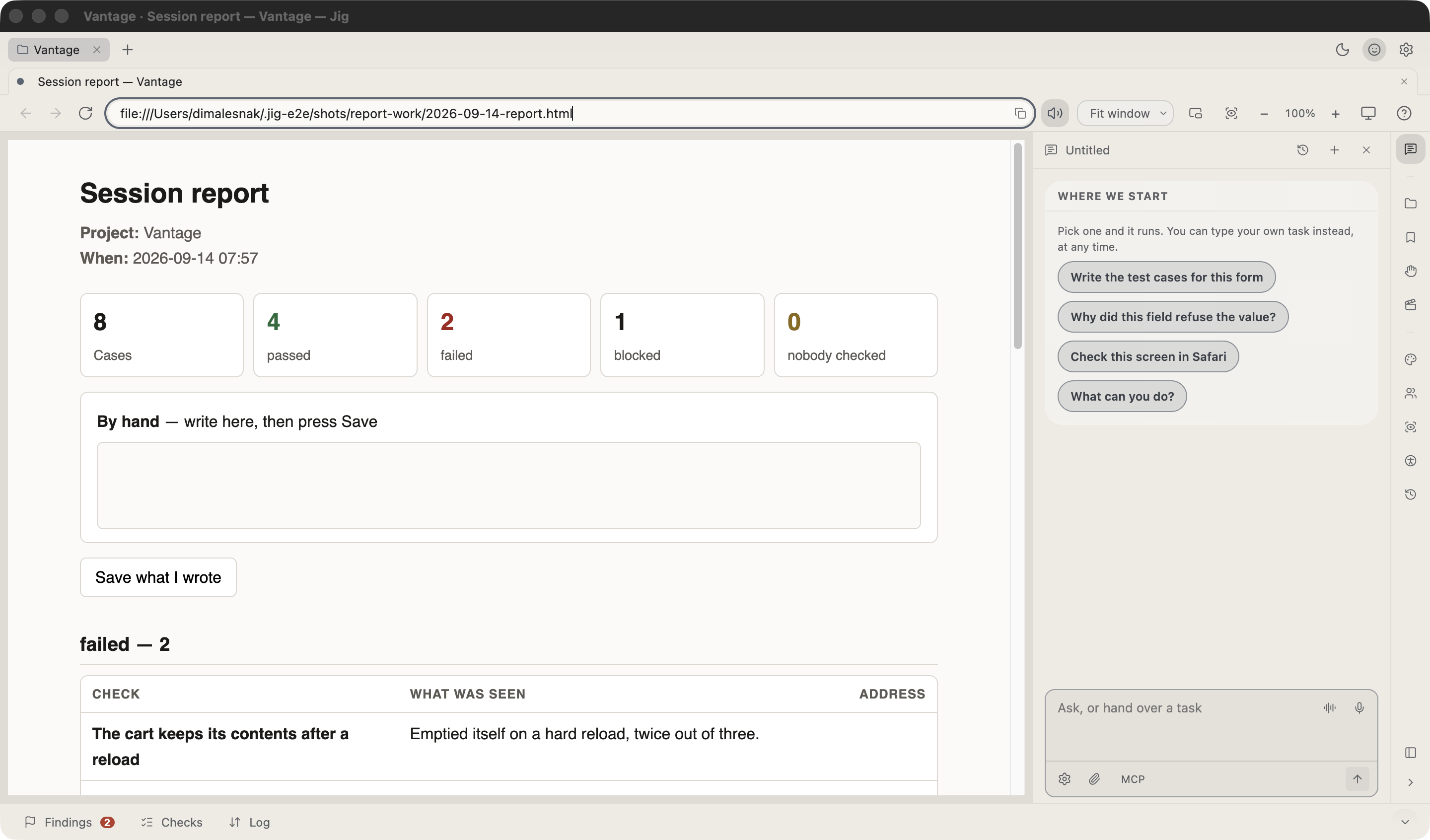
Findings by severity, each carrying the criterion it breaks, the page it was seen on and the node it sits on. Beside them the run passport: who evaluated, on which browser and screen reader, at which viewport. Then coverage by direction and by route, and a plain count of what nobody looked at. Four files per pass, and the PDF carries a structure tree, so the document can be read the way it asks the client’s site to be readable.

JIG-48121Checkout · order formBlocker

Send stays active while the request is running — a second click double-charges

Steps
Fill the order form · press Send · press it again before the answer arrives
Expected
The button is disabled until the request settles
Actual
Two POST /api/orders, two references, one order
Environment
Chromium 138 · 1512×982 · branch release/9.2 · commit a41f0c3
POST /api/orders → 200  REF-48121
POST /api/orders → 200  REF-48122   ← the same order, twice

Everything it measures is local. We would rather say so than claim more.

The browser, the inspector, the form map, the fill, the mocks, the recorder, the audit, the network log — none of it goes anywhere. When you hand a task to Claude, what travels with the question is the shape of the work: the field names of the page, the names of your roles, your checklist and the titles of your findings. What you type stays here, and so do passwords, account logins and the addresses of your stands. A screenshot only ever leaves if you switch that on yourself.

Two rails that do not move

Jig never acts in a tab you are signed into yourself — it works in its own, and the login it uses is the one you gave it. And it only ever opens the sites you allowed for this project; anything else is refused, whatever the task says.

Pricing

Free for everything that measures. Paid for everything that repeats.

The first run of anything is free, always. What you pay for is the second one — because the repeat is where a professional’s time actually goes.

For the person who signs it off

Five testers, the same regression form, every week.

Three seconds in Jig against seventy-three with a Playwright script — and the script had to be written first. Here nobody wrote one.

  • $149 per seat / year
  • Invoice from a registered business
  • Seats reassignable
  • 30-day full trial

Free

$0 forever

No account needed

  • The browser, projects, tabs
  • A separate session per tab
  • Inspector and form map
  • Accessibility audit and Tab-order walk
  • Network with response bodies, console, curl

Pro

$99 / year, per person

One payment. Nothing renews itself — our till does not keep your card.

  • Roles — several signed-in people at once
  • Fill by sets: valid, limits, invalid, empty
  • Network rules: 500, empty, slow, dead
  • Record a flow, replay it with a button
  • Runs, and the difference between two
  • Claude: hand over a task, ask about a page

Team

$149 / year, per seat

Invoice from a registered business, with the documents your finance department asks for. Seats can be reassigned.

Founding price

$79 / year, fixed for good

The first hundred people to buy keep this price for every year they stay — including after the public price goes up.

A second app, not a discount

Pro comes with QA Copilot

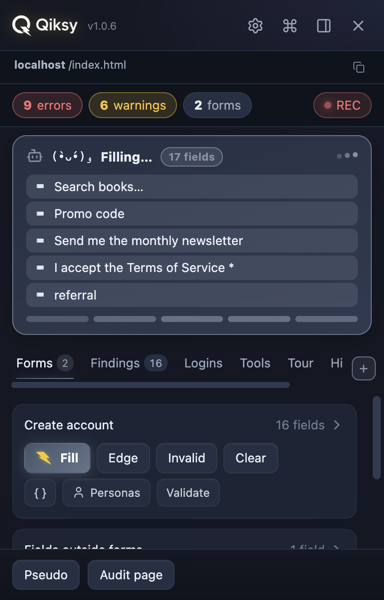
The QA Copilot side panel filling a seventeen-field form — a progress card counts the fields as they land
Qiksy QA CopilotChrome extension · already on the Web Store · $49 / year on its own

The same key unlocks Qiksy QA Copilot Pro — our Chrome extension for testing inside the browser you already use. One purchase, both halves of the trade: the browser for the work you plan, the extension for the page you happen to be on.

It rides along in the browser you already have open — your profile, your logins, the tab in front of you. It fills the form, catches the console error, the failed request with the server’s own body and the accessibility violation, and hands the lot back as one file you attach to the ticket. Nothing to script, no second browser to sign into.

Jig is where you sit down to work

A regression pass with a name, several signed-in roles at once, the same form filled four ways, a recorded flow replayed on a button — and the difference between last week’s run and this one. This is the half a lead, a QA owner or whoever signs the release off actually needs: something to show, not a feeling.

QA Copilot is where the page finds you

A developer checking the feature they wrote an hour ago on staging, under their own SSO. Support reproducing what a customer sent. A project manager opening the link in a ticket to see for themselves. Nothing to set up and nothing to plan — it is already in the browser they use all day.

Neither half needs a model to measure. Forms, findings, the network with response bodies, the WCAG audit, the Tab-order walk — local, free, no account and no Claude. A model only enters when you hand the work to an agent, and then it is your own Claude subscription, not tokens resold by us.
So this is not two-for-one. It is one job that happens in two places — the pass you plan, and the page that lands in front of you — and having paid for the larger half, you should not have to buy the smaller one twice. It only runs this way round. A QA Copilot key does not unlock Jig — Jig is the larger tool, and paying for the smaller one cannot buy it.

The trial is a month, not two weeks

Full Pro for thirty days. Two weeks is not long enough to meet a regression, and the regression is the thing Pro is for.

About the model

Connect your own Claude subscription and everything that needs a model is unlimited and costs you nothing extra. Without one, Pro includes a monthly allowance through our cloud — counted separately for each kind of work, so a busy week of one does not eat the others: 300 failure explanations, 200 rule checks, 150 repairs, 150 verdicts, 100 full runs with a plan, 40 checklists and 500 dictations. The run is the expensive one, and it is exactly where your own subscription pays off.

Take the macOS build now.

Leave an address and we will write once — when Windows lands and sales open, with the founding price attached.

Apple Silicon 131 MB · Intel 136 MB — both signed and notarised

Windows: this installer is not signed yet — the certificate is still in identity validation. Windows will show a blue “Windows protected your PC” screen: choose <b>More info</b>, then <b>Run anyway</b>. It installs into your own user profile and never asks for administrator rights. Tested on a real Windows Server 2022: the build behaves exactly as the Mac one.

Or from the Microsoft Store — signed by Microsoft, no warning screen, and it updates itself.

What happens the first time you open it

You are downloading Jig from us directly, not from a store, so both systems say something the first time. Here is exactly what, and which button to press.

On Windows

The installer puts Jig in your own user folder and never asks for an administrator password.

Windows shows a blue window headed “Windows protected your PC”, and the only button on it says “Don’t run”. Do not stop there. Press the link “More info” first, and a second button appears — “Run anyway”. That is the one you need.

Where that window names the publisher it will say “Unknown publisher”, and that is expected right now: our signing certificate has been bought and is going through the certificate authority’s identity checks. Until it is issued there is nothing to sign the file with. So the name is not what tells you this file is ours — the checksum below does.

On a Mac

The image opens with Jig on the left and a shortcut to Applications on the right: drag the first onto the second, and that is the install.

There are two files, one per processor, and the wrong one will not start. If you do not know which Mac you have: Apple menu, “About This Mac” — the line says either “Apple M…” or “Intel”.

Check that the file is the one we published

Each number below belongs to that exact file. Run the command and compare what it prints with what is written here: if they match, nothing was changed on the way to you.

On Windows — Jig.Setup.1.3.8.exe · 102 MB
1843c76c417ae22df0bb7a056d13f911e3f9db1a16059f2c932f3542bf5234e0
On a Mac · Apple Silicon — Jig-1.3.8.dmg · 130 MB
f57585b86949c30157cad757bedc2552a8b35c48c30dd76846456791091fe713
On a Mac · Intel — Jig-1.3.8-intel.dmg · 135 MB
b7e20d99311c9f0dbc7a90fa20d124d002b8b470cfb3d87666d6249b133ee488

  • Signed with our own certificate soonOnce the certificate lands, Windows will show our name instead of “Unknown publisher”. Until then it warns, and the download note says how to get past it.
  • Signed and notarised by AppleIt opens with a double click — macOS raises no “unidentified developer” wall.

Follow the build

We are building Qiksy in the open — new tools, real progress, the occasional stumble. One short note when something ships.

One note when it ships. Nothing else.